Show summary Hide summary
- What’s new in the AirTag 2: subtle design, practical tweaks
- Improved detection range and a louder chime
- Power, lifespan and durability: mostly unchanged
- Device compatibility you need to check before buying
- Precision Finding on the wrist: Apple Watch support
- Buying options, pricing and practical advice
Apple’s refreshed AirTag keeps the same simple promise: stick it to your stuff and find it when needed. The second-generation device looks familiar, but under the hood there are a few practical upgrades that matter in daily life.
What’s new in the AirTag 2: subtle design, practical tweaks
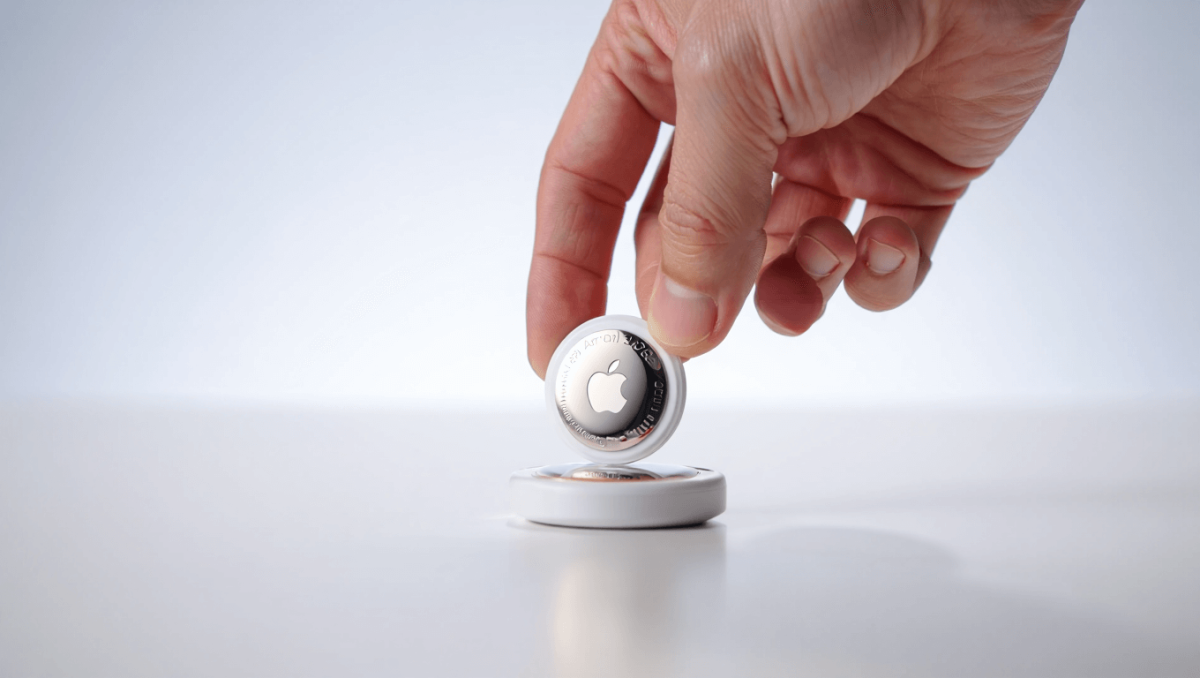
At first glance, the AirTag 2 is indistinguishable from the original. Dimensions, weight and the glossy white face remain unchanged.
Nas slams music industry over disrespect: teases new music, vows to address it
1992 vocal performances: 3 jaw-dropping moments that still amaze
- Size: 1.26-inch diameter, 0.31-inch thick.
- Weight: 11 grams.
- Water resistance: IP67 rating for brief submersion.
The visible design stayed the same so existing holders and keyrings fit without fuss.
Improved detection range and a louder chime
The headline improvement is range. In apartment testing with an iPhone 17 Pro Max, the new AirTag was detected at about 15 meters with two walls between devices. It could be zeroed in on from roughly 11 meters.
By comparison, the original model tended to lose the connection beyond about 9 meters. That extra distance can matter when you’re searching across rooms or floors.
The built-in speaker is also stronger. Hidden inside a backpack, the AirTag 2’s alert remained audible from another room.
Power, lifespan and durability: mostly unchanged
Apple kept the same replaceable cell. The AirTag 2 uses a CR2032 coin battery.
- Estimated life: about one year under typical use.
- Battery type: replaceable, non-rechargeable CR2032.
- Durability: IP67 — survives short submersion up to 1 meter for 30 minutes.
Expect similar real-world longevity as the first generation.
Device compatibility you need to check before buying
Compatibility rules changed with this generation. AirTag 2 requires recent system software.
- Required OS: iPhone or iPod touch with iOS 26 or later, iPad with iPadOS 26 or later.
- Precision Finding: Apple says the enhanced locating feature works only on certain iPhones. Check your model before upgrading.
If your iPhone cannot run iOS 26, the new AirTag won’t unlock its full capabilities.
Precision Finding on the wrist: Apple Watch support
The AirTag 2 gains a new trick: limited Precision Finding directly on the Apple Watch. Supported watches include Series 9 and Ultra 2 when running watchOS 26.2.1 or newer.
Setting it up is not automatic. You must add the Find Items shortcut to Control Center on the Watch.
- Open Control Center on the Watch and tap Edit.
- Tap the plus button and add Find Items.
- Use the new Control Center button to pick the AirTag and launch locating.
On the wrist, the experience is less granular than on an iPhone. Use it as a backup if your phone isn’t handy.
Buying options, pricing and practical advice
Apple’s tracker remains useful for keys, luggage, and bikes, but it carries the usual Apple price tag.
- Single AirTag: $29 from Apple.
- Four-pack: $99 from Apple (often better value).
- Third-party sellers sometimes sell older four-packs cheaper; compare before you buy.
If you want the newer range and wrist finding features, confirm your phone and watch meet the OS and model requirements before purchasing.