
Show summary Hide summary
- Key specs, configurations, and pricing for the 11-inch M5 iPad Pro
- Design, build quality, and the Liquid Glass experience
- Inside the chip: What the M5 brings over M4
- Performance numbers and real-world workflow tests
- Screen tech: Why the OLED still matters
- Ports, cameras, gaming, and other everyday features
- Who should consider buying the M5 iPad Pro?
- First impressions and caveats from early testing
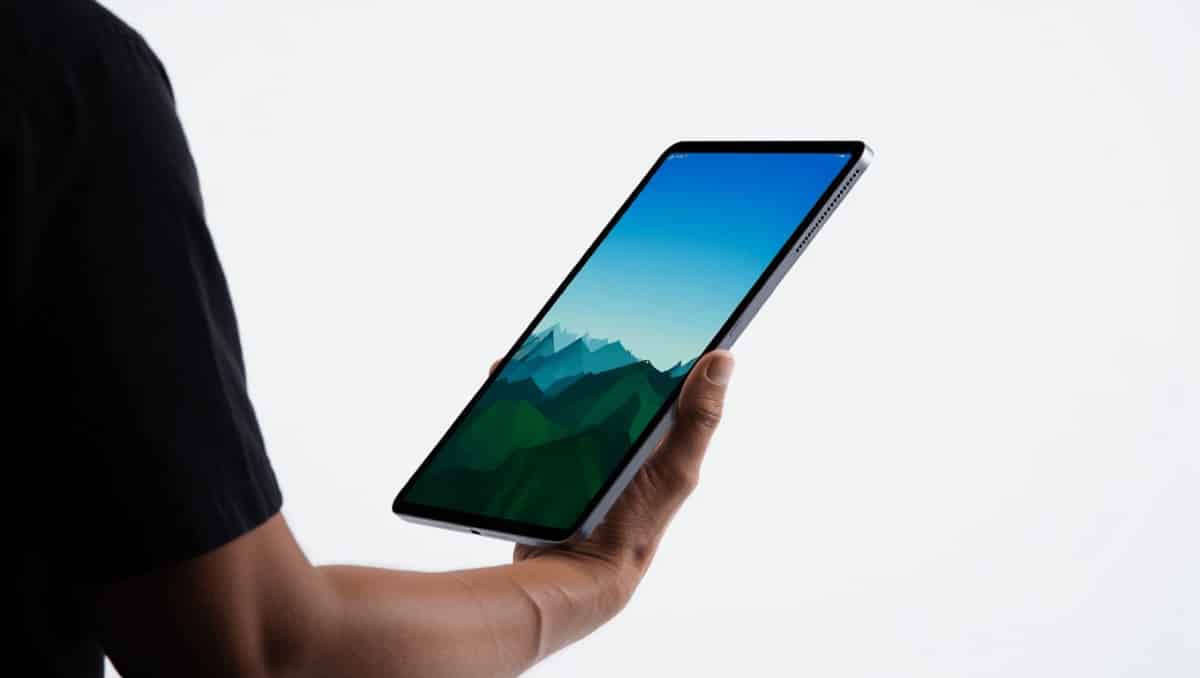
Holding Apple’s newest tablet feels like a small step into the future: familiar lines, featherlight heft, and a performance boost that nudges the device from “very good” to “pro-level.” If you own last year’s iPad with the M4 chip, the upgrade may not be mandatory. But for creative professionals and AI-savvy users, this model delivers meaningful gains.
Key specs, configurations, and pricing for the 11-inch M5 iPad Pro
- Sizes & colors: Available in 11-inch and 13-inch, in silver and space black.
- Starting prices: $999 for 11-inch, $1,299 for 13-inch.
- Storage options: 256GB, 512GB, 1TB, 2TB.
- Memory: 16GB RAM standard on higher-end configs.
- Dimensions & weight: 9.83″ × 6.99″ × 0.21″; about 0.98 lb (444 g).
- Display: Ultra Retina XDR Tandem OLED with up to 1,600 nits HDR peak.
- Ports & connectivity: Thunderbolt/USB‑4 and optional cellular with eSIM.
- Refresh rate: Up to 120Hz.
- Security: Both Touch ID and Face ID present.
80s British indie bands that changed American alternative rock forever
Pearl Jam drummer quits after 27 years: band says where things stand
Design, build quality, and the Liquid Glass experience
The casing stays true to the Pro lineage: slim, symmetrical, and impossibly light. At 5.3mm thin, this iPad is thinner than some recent iPhones and most competitors. The visual overhaul comes from iPadOS 26’s Liquid Glass aesthetic.
Liquid Glass applies a translucent, layered look to the interface. Combined with the Pro’s hardware, the UI feels like a coherent extension of the chassis. For many users, the result is not just cosmetic; it changes how the tablet reads in hand and on screen.
- Material feel: Premium metal finish, susceptible to fingerprints on darker models.
- Practical tip: A microfiber cloth is a worthwhile accessory for the midnight black finish.
Inside the chip: What the M5 brings over M4
Apple kept the M family architecture but tuned it. The new M5 chip retains a multi-core layout focused on efficiency and burst performance.
CPU and GPU details
- 9-core CPU: a mix of performance and efficiency cores.
- 10-core GPU for graphics-heavy workflows and editing.
- On-device Neural Accelerators to speed AI tasks and Apple Intelligence features.
In practical terms: the M5 raises sustained performance for apps like Premiere Pro and complex image workflows while still delivering excellent battery life.
Performance numbers and real-world workflow tests
Benchmarking places this tablet well above most tablets and within striking range of many laptops. Geekbench runs land the device in the upper tier of our database, far ahead of some rival tablets.
- The M5 iPad Pro routinely scores in the high teens on multi-core numeric scales used by Geekbench.
- It outpaces devices like the Surface Pro with Snapdragon X Elite and the M3-powered iPad Air.
- Battery life remains long thanks to efficient silicon and adaptive refresh rates.
Who benefits most: video editors, illustrators, and engineers running local AI models will see the biggest advantages.
Screen tech: Why the OLED still matters
The Tandem OLED Ultra Retina XDR stays one of the best displays on a tablet. Deep blacks, vivid HDR highlights, and precise color make this screen ideal for color-critical work.
- HDR content displays with strong contrast and true-to-life color.
- High pixel clarity makes fine detail visible for photo and video editing.
- For average media consumption, the visual lift is noticeable but not essential.
Ports, cameras, gaming, and other everyday features
Apple hasn’t reinvented the port lineup. You get Thunderbolt for fast external storage and displays. The tablet supports eSIM and cellular for people who need untethered connectivity.
- Cameras: 12MP rear wide camera and 12MP Center Stage front camera.
- Video: Capable of recording 4K at 60 fps.
- Games: iPadOS 26 and the updated Games app polish the casual gaming experience.
While the hardware can run demanding games, most tablet titles don’t require the M5’s headroom. The bigger wins for this hardware are in creative and AI workloads, not in matching desktop-class gaming rigs.
Who should consider buying the M5 iPad Pro?
Short version: professionals and power users who can use the extra CPU, GPU, and Neural Engine. If your daily tasks include high-res video editing, running local AI models, or producing color-accurate visuals, this machine will feel notably faster.
- Recommended: professional creators, AI developers, and pro-level video editors.
- Optional: tech enthusiasts who prefer cutting-edge hardware.
- Not necessary: casual users who browse, stream, and use basic productivity apps.
First impressions and caveats from early testing
My initial hands-on spanned a few days, so this is an early look rather than a full long-term review. The tablet handled large video files and pro apps smoothly. Thermal behavior stayed controlled during sustained workloads.
One important note: the upgrade from M4 to M5 is meaningful, but not dramatic for every owner. If your current iPad Pro is from last year, waiting may be sensible unless you need the extra power now.
Setting up the eSIM worked smoothly in my tests, though activation can still trip up some users. The tablet also pairs naturally with Apple’s Magic Keyboard, which unlocks desktop-style multitasking in iPadOS 26.










