
Show summary Hide summary
- What you get: key specs and configuration options for the M5 MacBook Pro
- Benchmarks and day-to-day speed: how the M5 performs
- Gaming on the MacBook Pro: my Cyberpunk 2077 trial
- Design, ports, and what macOS Tahoe brings
- Portability and battery life for creative professionals
- Who should consider buying this MacBook Pro?
- Value and final thoughts on the M5 MacBook Pro purchase decision
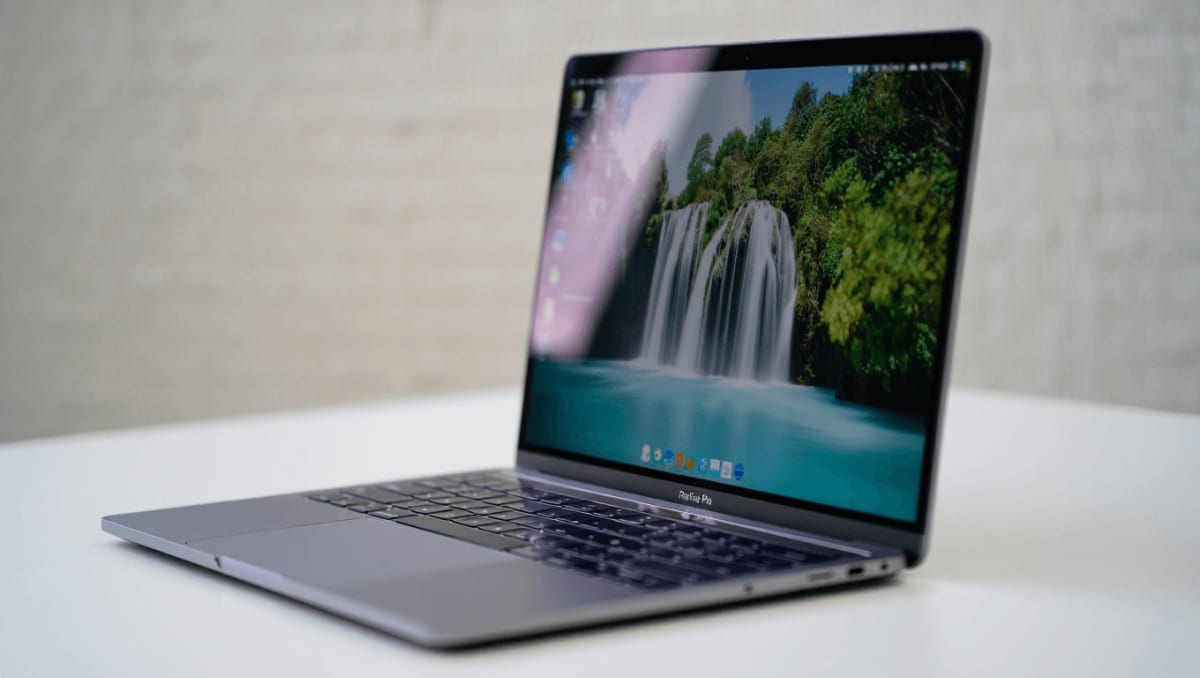
Apple’s 2025 MacBook Pro arrives as a compact powerhouse aimed at professionals, creators, and anyone who wants high-end performance in a 14-inch chassis. With the new M5 chip, updated display options, and macOS Tahoe, this laptop stakes a claim as a versatile tool for demanding workflows and on-the-go AI tasks.
What you get: key specs and configuration options for the M5 MacBook Pro
- Model: 14-inch MacBook Pro (2025)
- Processor: Apple M5 with 10-core CPU and upgraded Neural Accelerators
- RAM: 16GB or 24GB options
- Storage: 512GB or 1TB SSD
- Display: Liquid Retina XDR, up to 1,600 nits peak HDR brightness
- Resolution: 3024 x 1964, up to 120Hz refresh
- Ports: Three Thunderbolt 4 (USB-C), HDMI, SDXC card slot, MagSafe 3, 3.5 mm audio jack
- Colors: Silver and Space Black
- Dimensions & weight: ~12.31″ x 8.71″ x 0.61″; 3.4 pounds (1.55 kg)
- Security: Touch ID; no Face ID
- Starting price: $1,599 for the base 14-inch model
80s British indie bands that changed American alternative rock forever
Pearl Jam drummer quits after 27 years: band says where things stand
Benchmarks and day-to-day speed: how the M5 performs
The M5 continues Apple’s streak of strong, efficient chips. In Geekbench CPU testing the M5 recorded a score around 17,470. That sits noticeably above the M4’s result and ahead of most Windows machines we tested.
That numeric gain translates to a brisker experience across apps. Launch times feel shorter. Multitasking stays smooth when juggling editors, browsers, and AI tools. For many creative professionals, the boost is practical, not just marketing.
How the M5 handles creative and AI workloads
- The M5 includes upgraded Neural Accelerators designed for local AI model inference.
- Apple cites a fourfold increase in peak GPU compute for AI versus M4.
- Memory bandwidth improvements help with large video timelines and complex audio projects.
In real editing tests with Premiere Pro and Logic Pro plugins, the laptop handled large assets without stalling. Exports are fast by current standards. Heavy users may still prefer desktop-class M3 Ultra or larger MacBook variants, but the M5 is more than capable for professional on-location work.
Gaming on the MacBook Pro: my Cyberpunk 2077 trial
Gaming on macOS has always been niche. Still, the M5 MacBook Pro can deliver playable sessions for modern titles. I ran Cyberpunk 2077 at 1080p, 30 fps, with ray tracing on. Results were impressive for a thin-and-light machine.
- Graphics looked rich on the Liquid Retina display.
- Some fine details appeared softer than on a high-end gaming laptop.
- Performance was generally smooth, with occasional visual artifacts.
If you want serious gaming, a dedicated Windows laptop with a high-end GPU still wins. But the M5 opens the door for casual play and testing game builds while keeping a professional macOS workflow.
Design, ports, and what macOS Tahoe brings
The chassis design follows Apple’s recent aesthetic: clean lines, premium materials, and a compact footprint. The port selection is generous for a 14-inch laptop. Photographers and videographers will appreciate the SDXC slot and HDMI port.
- Keyboard and trackpad: tactile, reliable, and ideal for long sessions.
- Speaker and webcam: Speakers punch above their size. Webcam sits in the notch.
- Thermals: Quiet fans and stable temps under moderate loads.
macOS Tahoe 26 ships with the machine and includes the new Liquid Glass visual style. Tahoe also surfaces Apple Intelligence features and tighter Shortcuts integration for automating workflows. Some changes are mainly cosmetic, but the AI integrations are meaningful for on-device tasks.
Portability and battery life for creative professionals
The 14-inch form factor is a trade-off between screen real estate and mobility. Battery life is competitive for its class, especially during mixed use. When unplugged, the machine scales down power use without becoming sluggish.
- Excellent for frequent travelers and students who run demanding apps.
- Less ideal if you rely on a very large timeline view every day.
- Combine with an external monitor or iPad for extended desktop-style work.
Who should consider buying this MacBook Pro?
The M5 MacBook Pro is aimed at a clear audience.
- Ideal: Creators who need a lightweight machine that handles pro apps and AI models.
- Good fit: Students and mobile professionals who run demanding software but value portability.
- Consider alternatives: Editors and color graders who prefer larger screens should compare Mac Studio, M3 Ultra, or an M4 iMac.
Pairing an M5 MacBook Pro with an M5 iPad Pro or a desktop Mac is a flexible way to balance mobility and a larger workspace. For many buyers, the 14-inch strikes the right compromise.
Value and final thoughts on the M5 MacBook Pro purchase decision
At its price point, the 14-inch M5 MacBook Pro delivers strong performance per dollar in Apple’s lineup. It is powerful, efficient, and full-featured for pro apps and emerging AI workflows. For professionals who need on-the-go power, it makes a compelling case.










