
Show summary Hide summary
- Why a laser projector can outshine a mounted TV
- Essential specifications for a 65–200 inch image
- How it plays for gamers and fast action
- Daylight viewing: how much light can it handle?
- Portability, setup, and connectivity
- Onboard audio and optional Bluetooth speaker mode
- Practical trade-offs and things to know before buying
- How the projector performed during extended use
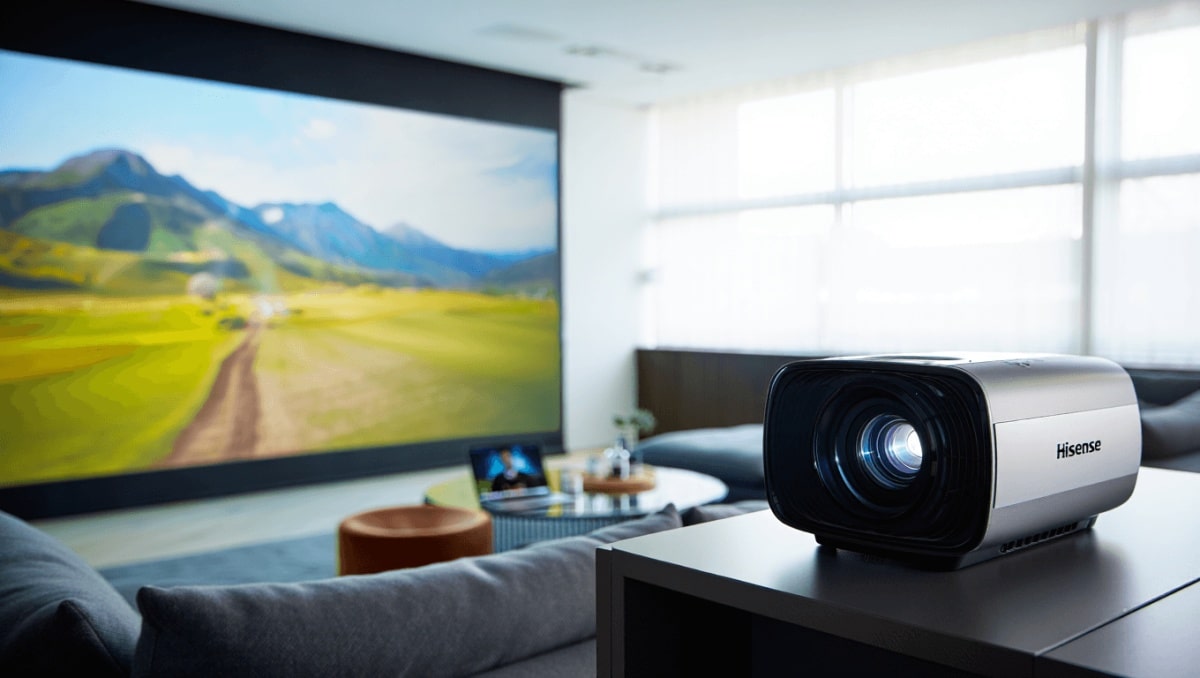
If you want a screen that can grow from a living-room-sized 65 inches to a backyard-stunning 200 inches, you may be surprised to learn the best option isn’t a wall-mounted TV. Projectors now offer cinema-scale images, sharp 4K color, and portable designs that make hosting movie nights or gaming marathons easy. Hisense’s M2 Pro is one of those devices changing how people think about home screens.
Why a laser projector can outshine a mounted TV
Projectors once lagged behind TVs in brightness and clarity. That gap has narrowed thanks to laser light engines and sophisticated image tuning. The Hisense M2 Pro uses a triple-laser RGB system, which helps deliver richer color and better brightness than typical lamp or LED projectors.
80s British indie bands that changed American alternative rock forever
Pearl Jam drummer quits after 27 years: band says where things stand
Laser technology gives longer life and steadier color over time. For viewers who want very large images without sacrificing picture quality, a laser projector is often the smarter choice than a fixed-panel set.
Essential specifications for a 65–200 inch image
When shopping for a projector meant to replace a wall-mounted TV at multiple sizes, check the physical size, weight, light output, and image source. The M2 Pro’s numbers matter because they determine how it will perform across rooms and setups.
- Dimensions: roughly compact enough for shelf placement.
- Weight: light enough to carry between rooms.
- Brightness: rated at about 1,300 ANSI lumens — adequate for many bright rooms.
- Light source: R+G+B triple-laser for strong color reproduction.
- Laser lifespan: tens of thousands of hours before noticeable dimming.
- Warranty: limited coverage for peace of mind.
How it plays for gamers and fast action
Big-screen gaming is where a projector becomes a shared experience rather than just a display. The Hisense M2 Pro supports high refresh rates and low latency, which matters for racing, shooters, and fighting games.
- Refresh: up to 240Hz modes for very smooth motion.
- Input lag: low enough to satisfy most competitive players.
Playing multiplayer titles on a 200-inch surface changes the social vibe. Sharp motion and responsive controls make group gaming feel cinematic and immediate.
Daylight viewing: how much light can it handle?
A common complaint about projectors is the need to darken a room. The M2 Pro’s brightness rating pushes it into a category that tolerates ambient light better than many rivals. You can comfortably watch shows in late afternoon without heavy curtains.
That said, bright midday sun or a direct window hit may still wash out contrast. For best results in very bright environments, consider a dedicated projection surface or controlled lighting.
Portability, setup, and connectivity
Part of the projector’s appeal is mobility. The M2 Pro is small and light enough to move between rooms or bring to a friend’s place. It ships with a padded carrying case for protection and ease of transport.
What to pack
- Projector in its case — the basic unit is easy to move.
- Power brick with a 19V adapter — no USB-C battery charging here.
- HDMI or streaming stick if you prefer a different smart UI than the built-in one.
The unit ships with Vidaa OS, so popular apps are ready out of the box. If you prefer Google TV or Fire OS, a small streamer plugs into HDMI without fuss. A USB-A port accepts offline media from a thumb drive.
Onboard audio and optional Bluetooth speaker mode
Pairing a huge picture with weak sound kills immersion. The M2 Pro’s onboard audio is surprisingly capable for its size. Dual 10-watt speakers provide decent volume and clarity for casual viewing.
- Audio codecs: Dolby Digital and DTS Virtual:X support boost perceived depth.
- Bluetooth Music Sharing: turns the projector into a wireless speaker for music playback.
While a dedicated sound system still offers fuller bass and separation, the built-in speakers are good enough for many living-room sessions and small gatherings.
Practical trade-offs and things to know before buying
Choosing a projector instead of a wall-mounted TV changes a few assumptions. Placement and throw distance determine the final image size. The M2 Pro is designed to produce great results from roughly 65 inches up to around 200 inches, depending on where you position it.
- Minimum recommended size: around 65 inches for a clear image.
- Maximum: can reach roughly 200 inches under the right conditions.
- Auto adjustments: autofocus and keystone correction simplify alignment, but they take a moment to settle.
- Power: no internal battery, so you’ll need the power brick for every session.
Pricewise, the laser 4K performance puts the M2 Pro in a competitive spot among premium portable projectors. Buyers should weigh the need for truly bright outdoor viewing against the convenience of a massive, flexible screen.
How the projector performed during extended use
Testing over several months included evening movie nights, afternoon streaming, and a handful of gaming sessions. The projector held up well across formats and content types.
- Auto color correction adapted to different wall surfaces.
- Vidaa OS provided quick access to streaming apps, with the option to plug in external streamers.
- Transporting the unit in its case proved convenient and protective.
Note: setup feel varies by room. Large, uncluttered walls and a stable placement make the biggest difference in picture quality.










