Show summary Hide summary
- How the PROLED XDR display raises the bar for laptop screens
- Touch capability on a MacBook: useful feature or novelty?
- Performance under pressure: M5 Pro and M5 Max in the real world
- Design tweaks, ports, and the return of a glowing logo
- Pricing, sizing advice, and availability for buyers and pros
- Specs at a glance: what’s inside the new MacBook Pro PROLED
Apple has delivered a MacBook Pro that shifts the conversation from “when” to “how good.” The headline is a new PROLED XDR display that pairs tandem OLED with ProMotion, and it changes what a laptop screen can do for creatives and pros. Every time I glance at it, the brightness and contrast feel like a new reference point.
How the PROLED XDR display raises the bar for laptop screens
Apple’s new screen is not just another OLED panel. It’s built to meet professional color and HDR standards.
Coco Jones’ viral reaction to racist heckler: Black people share heartbreaking similar stories
MacBook Pro OLED review: the Ternus era’s first slam dunk

- Peak HDR brightness: up to 2,000 nits, the brightest laptop screen Apple has shipped.
- Sustained brightness for SDR: up to 1,000 nits, which keeps images vivid without flare.
- Contrast and color: deep blacks, billion-plus colors, and support for P3 and Adobe RGB gamuts.
- Adaptive refresh: ProMotion up to 120 Hz makes motion smooth and responsive.
Tandem OLED — a technology Apple used first in iPad Pro models — powers both brightness and longevity. The result is spectacular color fidelity and shadow detail. After a few days I found the display uncomfortably bright at max, which is proof of how intense its HDR highlights are.
Touch capability on a MacBook: useful feature or novelty?
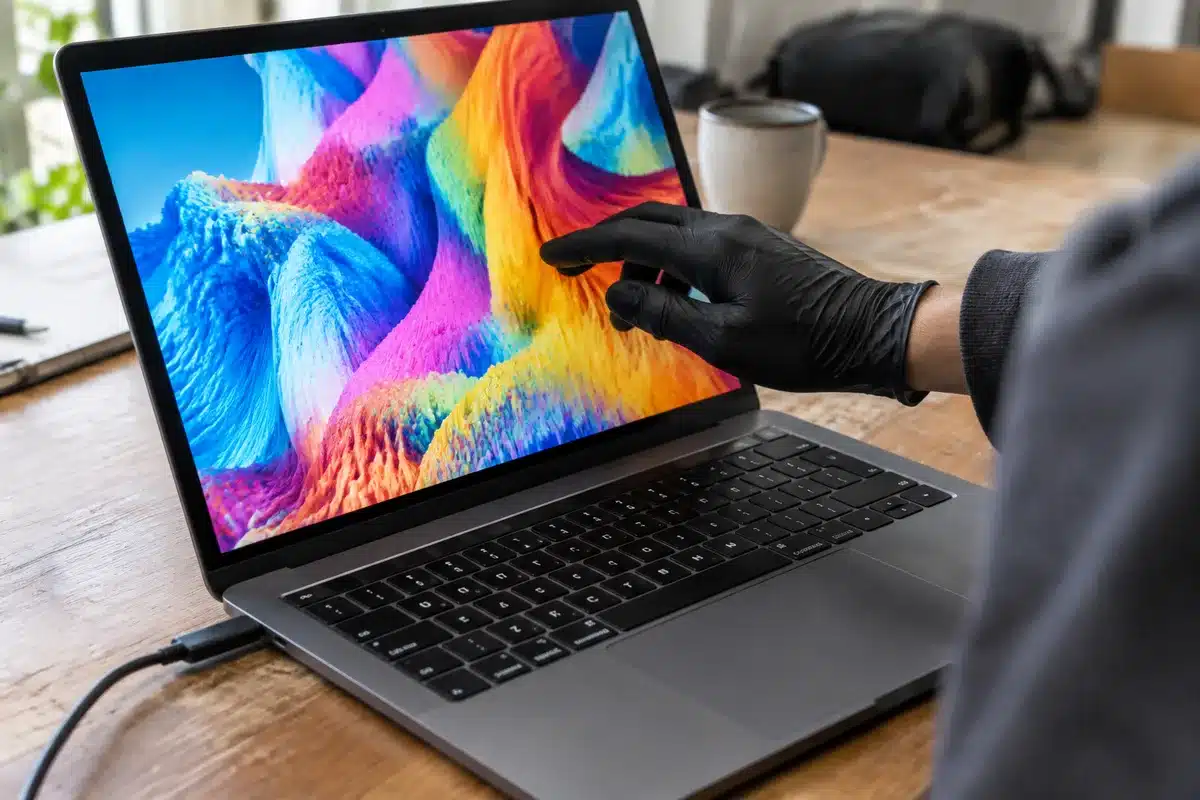
Apple finally put a touch layer on a MacBook. It works as expected and is responsive, but this MacBook does not convert into a tablet.
The screen doesn’t accept Apple Pencil or other styluses. That limits some creative workflows. Still, artists and animators who like direct touch control will welcome pinch, zoom, and gestures in compatible apps.
Developer support will determine how much utility touchscreen adds. Right now, everything you can do on the trackpad can also be done on the display. Expect gradual macOS adaptation rather than overnight changes.
Performance under pressure: M5 Pro and M5 Max in the real world
The review unit I tested was a 16-inch with an M5 Pro chip and 48GB of unified memory. It handled heavy workloads with ease.
- Complex Blender scenes played smoothly while other tasks ran.
- Final Cut Pro exported large 4K timelines with local AI effects applied.
- Local AI models like Gemma 4 26B-A4B ran for coding and text tasks.
Benchmarks were strong. In my limited window of testing, Geekbench 7 returned:
- Single-core: 3,736
- Multi-core: 34,492
Apple’s M5 architecture, with up to 18 CPU cores and multi-core performance tuned for sustained loads, makes the machine feel nearly impossible to bog down. Oddly, a massive spreadsheet in Numbers did trigger slowdowns, showing real-world edge cases still exist.
Design tweaks, ports, and the return of a glowing logo
The case is recognizably Apple, but refined. Both the 14- and 16-inch models are thinner and lighter than their predecessors.
- Smaller bezels around the PROLED glass.
- Three Thunderbolt 5 ports, HDMI, SDXC slot, MagSafe 3, and a headphone jack provide flexibility.
- Supports multiple external displays for professional workflows.
Apple has also brought Dynamic Island to macOS and restored a backlit Apple logo on the lid. The tiny changes add up to a familiar, but fresher, MacBook experience.
Speakers and audio: richer, bass-forward sound
Apple reworked the sound system. The six-speaker array delivers clearer mids and deeper bass than the standard MacBook Pro.
The system supports Dolby Atmos and Spatial Audio. Music and movies feel more immersive, though peak volume is not dramatically higher. The stereo field has more depth, which suits creative playback and casual listening alike.
Pricing, sizing advice, and availability for buyers and pros
The PROLED MacBook Pro is aimed at creators and professionals who demand the best screen and sustained performance.
- Launch date: Nov. 6.
- Starting prices: 14-inch from $2,899; 16-inch from $3,399.
- Tip: The 16-inch model is worth the premium for extra workspace.
High-end configurations with M5 Max and top-tier RAM and storage can reach a very high price. Apple’s optional upgrades make the machine future-proof for demanding workloads. Availability could be tight at launch, and holiday promotions may affect purchasing timing.
Specs at a glance: what’s inside the new MacBook Pro PROLED
- Processors: Apple M5 Pro (up to 18-core) or M5 Max (up to 18-core).
- Memory: 24GB, 48GB, 64GB, or 128GB unified RAM options.
- Storage: 1TB to 16TB SSD options.
- Display: 14.2″ or 16.3″ PROLED XDR tandem OLED panels.
- Brightness: Up to 1,000 nits sustained; up to 2,000 nits peak HDR.
- Refresh rate: ProMotion adaptive, up to 120Hz.
- Color & contrast: 10,000,000:1 contrast; P3 and Adobe RGB support.
- Extras: Anti-reflective coating; optional nano-texture glass.
- Ports: 3× Thunderbolt 5, HDMI, SDXC, MagSafe 3, 3.5mm jack.
- Wireless: Wi‑Fi 7, Bluetooth 6.
- Camera & audio: 12MP Center Stage camera; six-speaker system with Dolby Atmos.
- Battery life: Rated for long video playback; precise runtime testing is pending.
- Weight: ~3.0 lbs for 14-inch; ~4.0 lbs for 16-inch.
- Finish: Space Black and Silver.
During early testing I pushed local AI tasks, video exports, and large model runs. The machine performed admirably and rarely stuttered under load. I also used the touchscreen with Blender and Final Cut Pro. Some apps already include touch-optimized controls; others will need time to adapt.